


Quick answer
A spreadsheet is a photograph of your IT environment, not a control system for it — it stops being accurate the moment something changes after the last update.
- Manual asset records degrade continuously: every reassigned laptop, every new install, every dropped license opens a small gap between the sheet and reality.
- Only 54% of purchased software licenses are actually used, and the rest keeps renewing quietly (Zylo, 2026).
- The fix isn’t a better spreadsheet. It’s replacing a snapshot with a live, automated view of every endpoint.
Your company has a spreadsheet listing its IT equipment.
Asset numbers, models, assigned users, memory specs, purchase dates — maybe even a column for which department owns each device.
It looks organized.
But if that spreadsheet depends on someone remembering to update it, there’s a strong chance it’s already wrong.
Not because anyone typed the wrong number. Because the environment kept changing after the last review.
A laptop changed hands. A new application got installed. A memory module got swapped. A license stopped being used. A machine started working from a home network instead of the office.
The spreadsheet captured a moment. The operation kept moving.
A list of equipment is not asset control
Many teams treat an equipment list as if it were a complete inventory.
A list tells you how many laptops were bought and who is supposed to have each one. That’s useful, but it’s a fraction of the picture.
Real control means being able to answer questions a spreadsheet rarely tracks in real time:
- Which devices are active right now?
- Where is each one, and who is actually using it?
- What’s the current hardware configuration?
- Which applications are installed on each machine?
- Which software versions are behind?
- Which licenses are assigned, installed, and genuinely in use?
- What changed since the last check?
A spreadsheet gives you a photograph. Asset management requires a live feed.
Why manual inventory goes stale so fast
A corporate IT environment doesn’t sit still between audits.
People join, change roles, and leave. Equipment moves between sites. Memory and storage get swapped. Applications get installed and removed. Licenses get activated, duplicated, or abandoned.
Each of those events opens a small gap between what exists and what’s recorded.
| Question | Spreadsheet | Automated discovery | Why it matters |
|---|---|---|---|
| Who has this laptop today? | Whoever it was last assigned to on paper | The current logged-in user, updated continuously | Reassignments outrun manual updates within days |
| Is this license still needed? | Marked “active” until someone remembers to check | Cross-referenced against install and usage data | Unused licenses keep renewing invisibly |
| Is the OS patched? | Not tracked at all | Version and patch status per device | Outdated software is a standing security gap |
| Where is the device right now? | Last known office or branch | Live location and network status | Off-network devices still touch corporate data |
Individually, these gaps look small. Across hundreds of machines, they stop being noise and start being the actual state of the company — one the spreadsheet no longer describes.
It ends up representing only the last time someone managed to check.
What usually goes invisible
An outdated inventory doesn’t just create wrong rows. It creates blind spots that cost money.
Forgotten or misplaced equipment
A device can move to another site, department, or user without anyone updating the record. It can also sit idle in a closet while the company shops for new hardware, because nobody knows the spare exists.
Software installed without visibility
A list can confirm a laptop exists without showing what’s actually running on it — making it harder to catch unauthorized software, outdated versions, and tools that break internal policy.
Licenses that keep generating cost
A license can stay active long after someone changes roles, leaves, or simply stops opening the app. Without linking assignment to real usage, the subscription renews while the waste stays invisible.
Hardware configurations that no longer match reality
Memory, storage, and processors change over a device’s life. When the inventory doesn’t track that, maintenance and replacement planning is built on a machine that no longer exists.
Devices outside the corporate network
Laptops on home networks, on the road, or at remote branches can go long stretches without appearing in a manual check — while still reaching corporate systems every day.
WanAware’s 2025 survey of 600 IT leaders found that so-called “ghost assets” — resources that exist on paper but deliver nothing — consume up to 25% of total IT spend. On a $10 million IT budget, that’s $2.5 million a year with no owner and no fix, simply because nobody has a live view of what’s actually there.
The cost of deciding on outdated data
The problem isn’t just failing to locate one device. It’s everything that lack of visibility triggers downstream.
Without a reliable view of the environment, a company can:
- Buy equipment it already owns;
- Renew licenses nobody uses;
- Buy new licenses without spotting idle ones;
- Burn hours reconciling records before an audit;
- Discover unauthorized software only after it causes an incident;
- Replace devices by age instead of actual condition;
- Answer executive questions with estimates instead of data.
That last one is the dangerous one.
When someone asks how many machines, applications, or licenses the company has today, the answer shouldn’t start with:
“I think.”
A decision built on bad data can still feel solid, because a spreadsheet exists to back it up. The document creates a sense of order. It doesn’t guarantee the numbers still match reality.
What changes with automated IT inventory
Real inventory isn’t a review done once a year. It’s a continuous process of discovery, updating, and monitoring.
With automated inventory, the IT team works from data collected directly off the environment — not from what someone remembered to write down. That makes it possible to centralize:
- Existing devices and their current status;
- The user tied to each device;
- Operating systems and hardware configurations;
- Installed software and version data;
- Available updates;
- Licenses acquired, assigned, installed, and used;
- A history of changes;
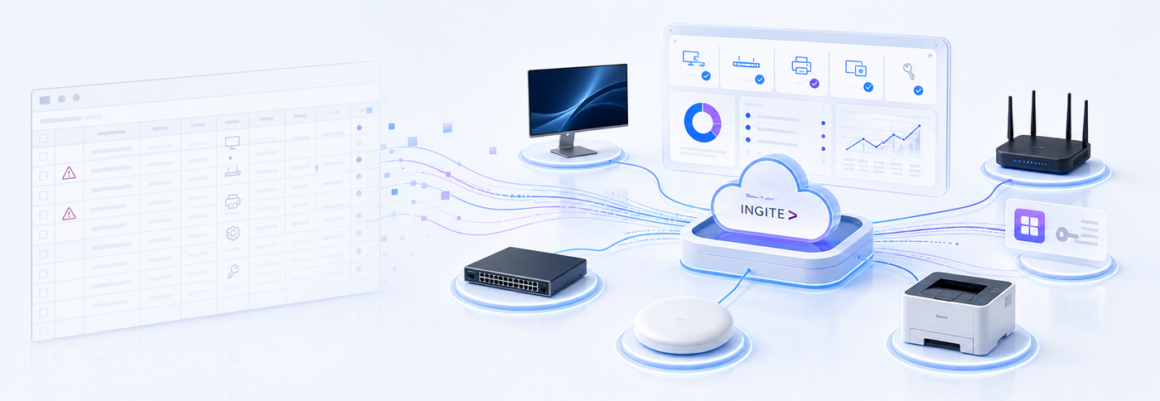
- Peripherals without an agent — monitors, printers, routers, switches.
The team stops chasing information across spreadsheets, inboxes, and manual checks, and starts consulting one source that updates itself.
Why cloud-based management makes the difference
Today’s IT environment is distributed. Not every device sits on the headquarters network, and management can’t depend on machines being physically present in an office.
A cloud-based platform keeps information centralized even when endpoints are at branch offices, home offices, or on the road. That shortens the gap between a change happening and IT finding out about it.
Discovery agents that report continuously over the internet — not only when a device is on the corporate LAN — are what actually close the visibility gap for remote and hybrid fleets. An inventory tool that only scans the local network will keep missing exactly the machines that travel the most.
The value isn’t just counting assets. It’s understanding how they’re distributed, used, and changed — which is what lets a team cut waste, get ahead of risk, and move through audits without a scramble.
How INGITE helps
Cloud Asset Management
Turns IT inventory into an automated, centralized, cloud-based process — detailed hardware and software records, license usage, users, groups, locations, change history, and agentless peripherals in one place.
Cloud Software Deployment
Once the inventory shows which machines are running outdated versions, this is what closes the gap — pushing software and patches to the right devices without a technician visiting each one.
The goal isn’t to trade a spreadsheet for another screen. It’s to trade an outdated photograph for a live operational view — so IT, asset management, and operations teams work from the same reality, with fewer manual checks and more confidence in the numbers.
When would your company actually find out?
Ask one question:
If a device, an application, or a license changed today, when would your company know?
- Would you find out today, from a system — or “at the next review”?
- Could you list every license nobody has opened in 90 days, right now, with numbers?
- Do you know how many devices are working outside the corporate network today?
- If an auditor asked for the current count tomorrow, would you trust your own answer?
If the honest answer is “when someone tells us,” the inventory still depends on the future. Spreadsheets are still useful for recording and analyzing data. Asset control needs automated discovery, context, and continuous visibility — not a better spreadsheet.
Why is a spreadsheet not enough for IT asset inventory?
How often should IT asset inventory be updated?
How much money does an outdated inventory actually waste?
What is automated IT asset discovery?
Stop managing IT assets from memory
If your inventory still depends on someone remembering to update a cell, it’s already behind.